Cinemana on your TV
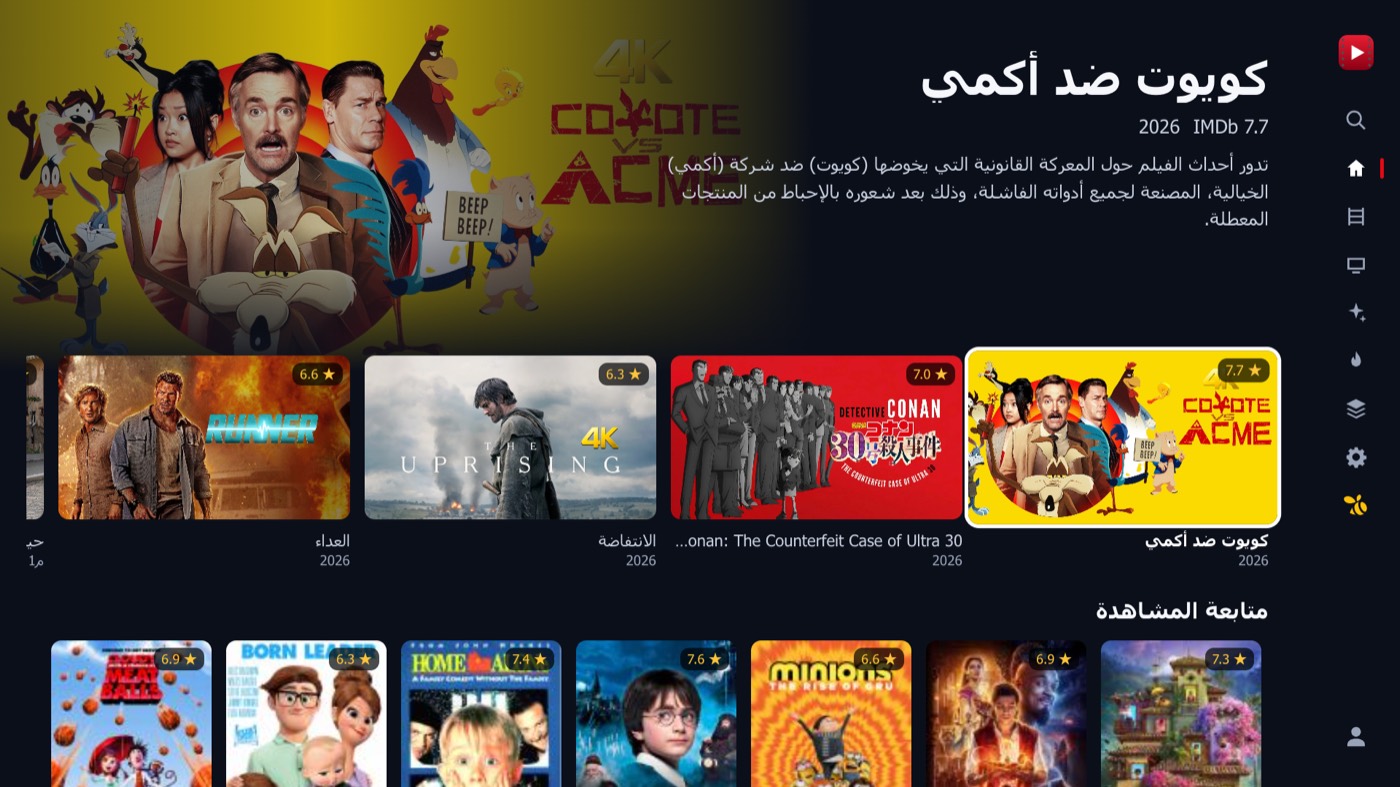
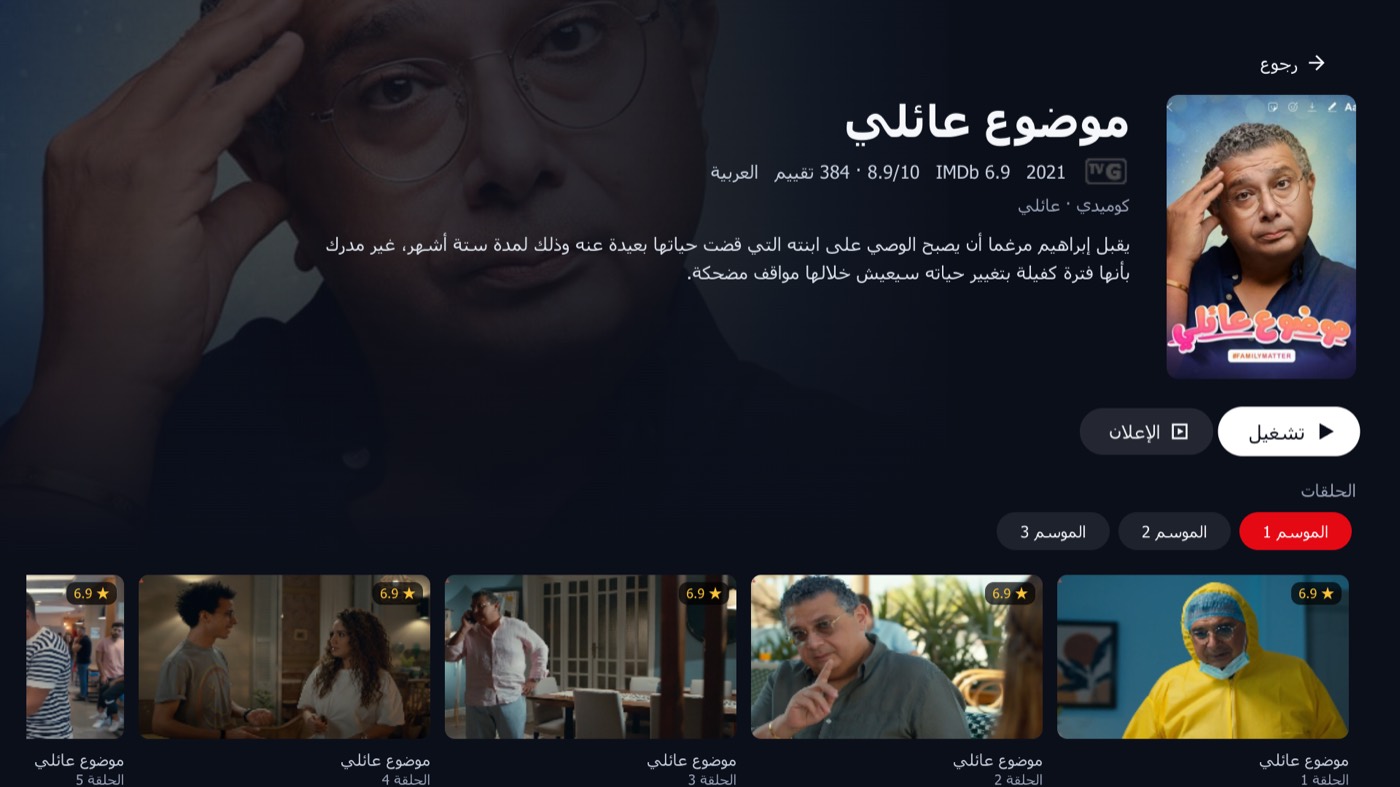
Movies and series from Cinemana, rebuilt for the TV remote. Up to 4K, Arabic and English subtitles, and it picks up where you stopped — on Android TV and LG smart TVs.
Download
Version 1.0.0 · Free. Independent TV app for Cinemana, made by Bee Solutions IQ. Not affiliated with Shabakaty or Earthlink.
- Download for Android TV — APK · 1.2 MB · Android 6.0 or newer
- Download for LG TV — IPK · 268 KB · LG webOS 3.0 or newer
Everything Cinemana has, made for TV
- Up to 4K, smoothly — Plays Cinemana from 240p to 4K on the TV's hardware decoder and picks the best quality your screen supports.
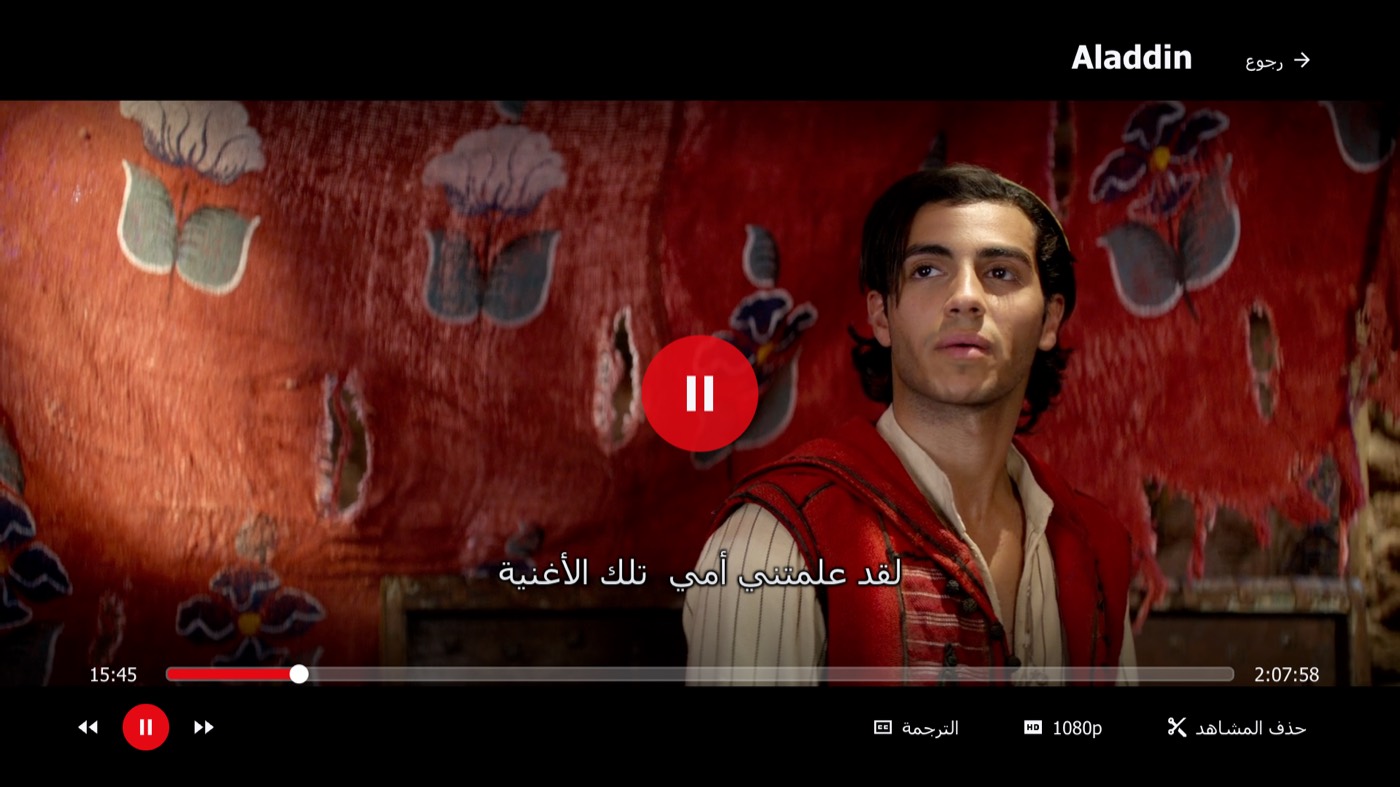
- Arabic and English subtitles — Change the subtitle size, background and position from the remote.
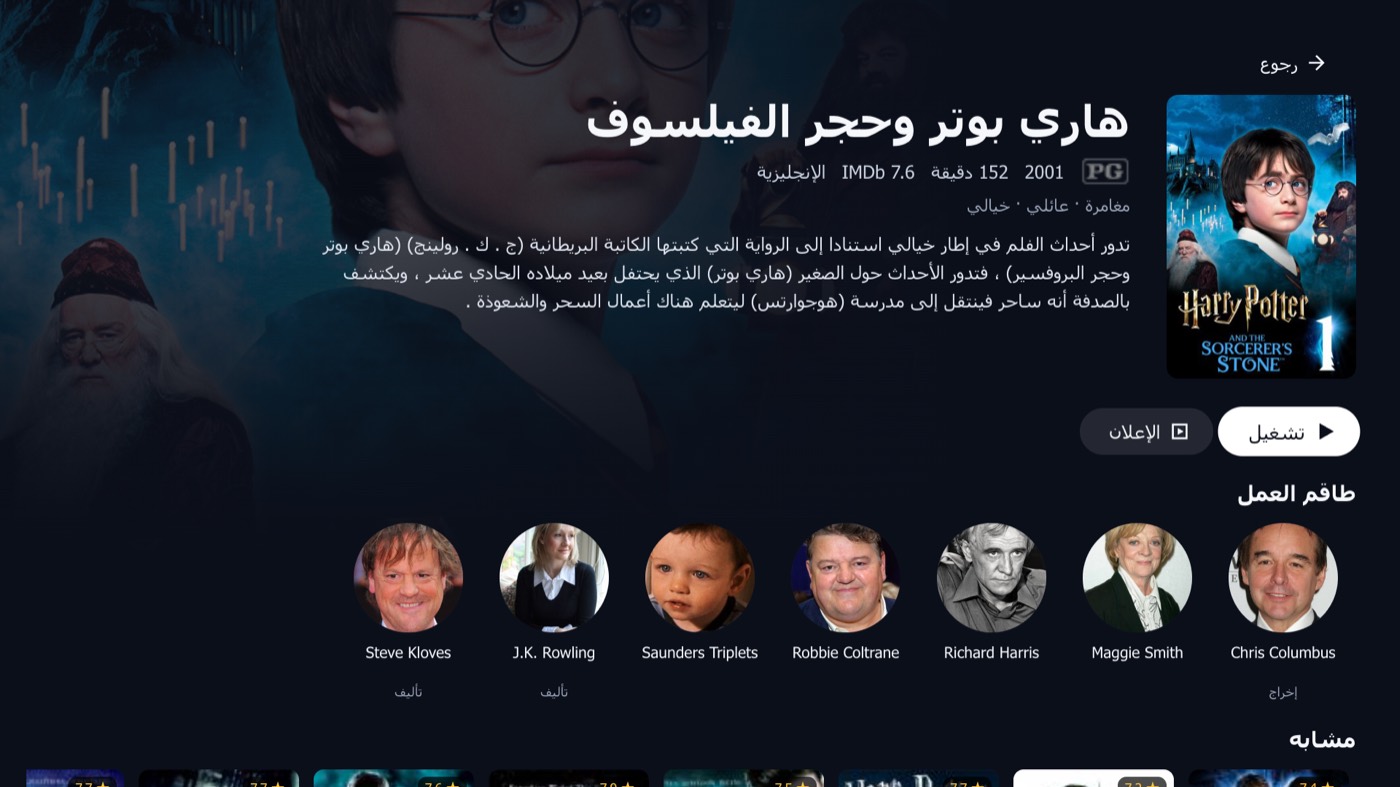
- Picks up where you stopped — Resume any title, skip the intro, and count down straight into the next episode.
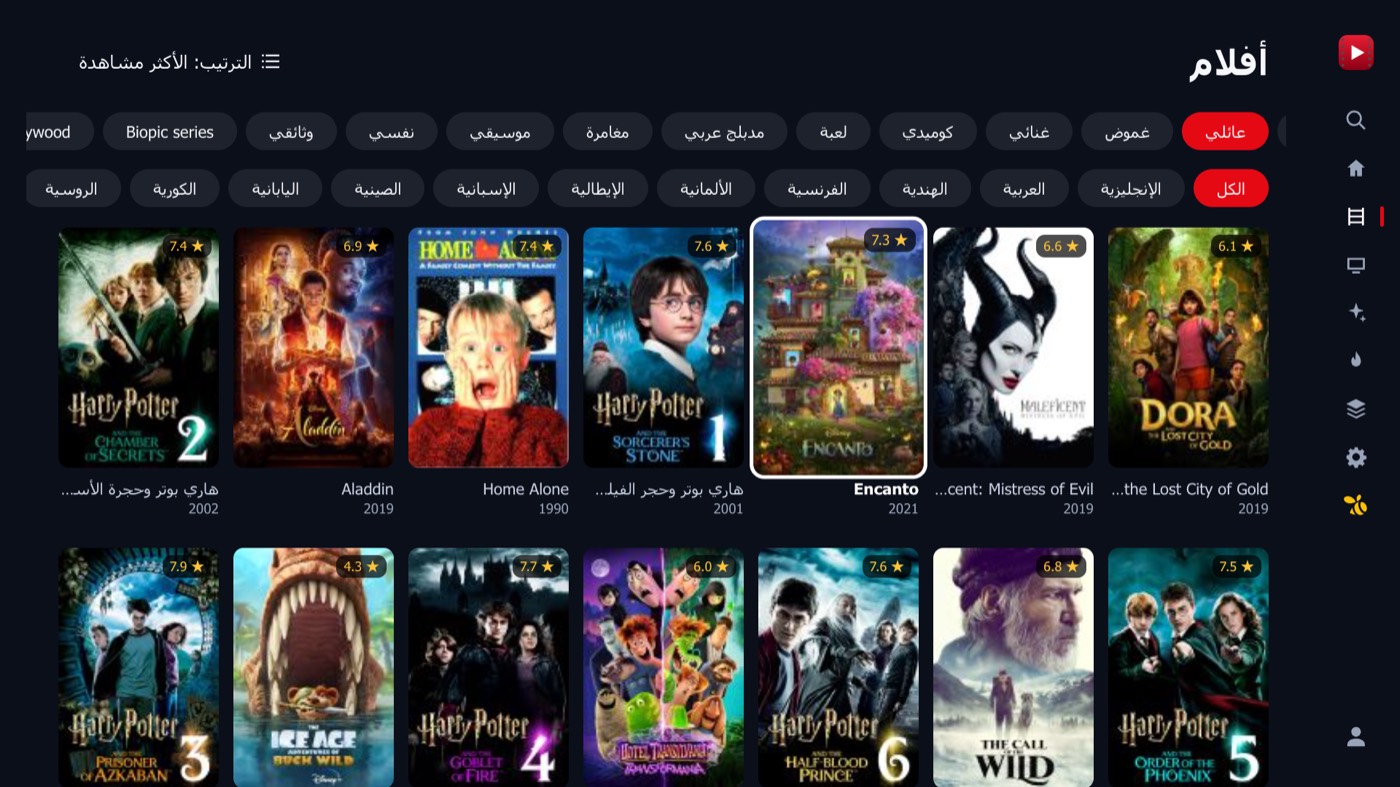
- Made for the remote — Every screen works with the arrows and OK. The colour keys open subtitles, quality and episodes, and the LG Magic Remote pointer works too.
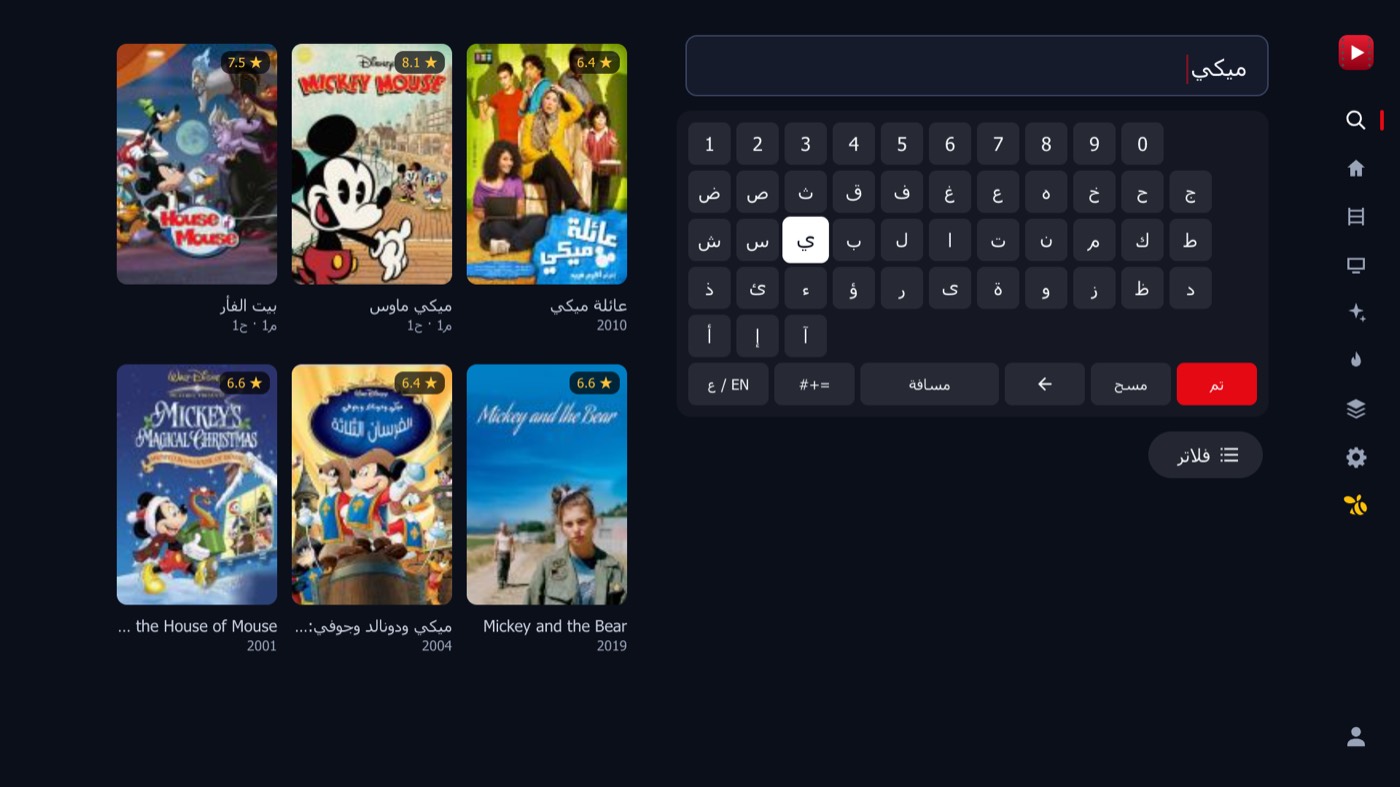
- Search and browse everything — Movies, series, animation, popular titles and collections, with filters by genre, year and IMDb rating.
- Runs on older TVs too — LG smart TVs from 2016 onward (webOS 3.0+) and Android TV sets and boxes on Android 6.0 or newer. Arabic first, English in Settings.
Install it in a few minutes — Android TV
- Install Downloader — On the TV, open Google Play, search for Downloader by AFTVnews and install it. It is free.
- Type our address — Open Downloader, type beesolutionsiq.com/tv in the address box and press Go. The Cinemana installer starts downloading.
- Allow the install — If the TV says it cannot install unknown apps, press Settings, switch Downloader on, then go back and press Install.
- Open Cinemana — Cinemana now sits on the TV home screen with its own banner. When Downloader offers to delete the installer file, you can.
Install it in a few minutes — LG TV (webOS)
- Create a free LG developer account — On your phone or computer, sign up at webostv.developer.lge.com. It is free and takes a minute.
- Turn on Developer Mode — On the TV, install the Developer Mode app from the LG Content Store, sign in with that account and switch Dev Mode Status on. The TV restarts.
- Switch on Key Server — Open Developer Mode again and turn Key Server on. Leave the app open and note the IP address and passphrase it shows.
- Install it from a computer — On a computer on the same Wi-Fi, install the free webOS Dev Manager, add your TV with that IP address and passphrase, then install the Cinemana IPK file.
- Keep it installed — Developer Mode runs for about 50 hours at a time. Open the Developer Mode app and press Extend at least every two days, and Cinemana stays on your TV.
Questions about the TV app
- Is the Cinemana TV app free? — Yes. The Android TV and the LG TV versions are both free to download from this page.
- Do I need a Cinemana account? — No — you can browse without one. Signing in with your Cinemana account adds My List, history, ratings and Continue watching that follows you from the website. Videos stream from Cinemana's own servers, so what you can watch depends on Cinemana, just as on its website.
- Which TVs does it work on? — LG smart TVs from 2016 onward (webOS 3.0 or newer), and Android TV sets and boxes running Android 6.0 or newer.
- Is this the official Cinemana app? — No. It is an independent TV app built by Bee Solutions IQ for Cinemana, and is not affiliated with Shabakaty or Earthlink. It plays the same catalogue as the Cinemana website.
We build apps for TV, desktop and mobile
Cinemana TV is one of our projects. If your business needs an app — for your customers, your staff or a screen on the wall — tell us what it should do.
سينمانا على شاشة تلفزيونك
أفلام ومسلسلات سينمانا، مصمّمة من جديد لريموت التلفزيون. جودة حتى 4K، وترجمة عربية وإنجليزية، ويكمل من حيث توقفت — على Android TV وتلفزيونات LG الذكية.
تحميل التطبيق
الإصدار 1.0.0 · مجاني. تطبيق تلفزيون مستقل لسينمانا من تطوير Bee Solutions IQ، وغير تابع لشبكتي أو إيرثلنك.
- تحميل لـ Android TV — APK · 1.2 MB · Android 6.0 أو أحدث
- تحميل لتلفزيون LG — IPK · 268 KB · LG webOS 3.0 أو أحدث
كل ما في سينمانا، مصمّم للتلفزيون
- حتى 4K وبسلاسة — يشغّل سينمانا من 240p حتى 4K بمعالج الفيديو في التلفزيون، ويختار أفضل جودة تدعمها شاشتك.
- ترجمة عربية وإنجليزية — غيّر حجم الترجمة وخلفيتها ومكانها من الريموت.
- يكمل من حيث توقفت — استئناف أي عمل، وتخطي المقدمة، وعدّ تنازلي للانتقال مباشرة إلى الحلقة التالية.
- مصمّم للريموت — كل الشاشات تعمل بالأسهم وزر OK. والأزرار الملوّنة تفتح الترجمة والجودة والحلقات، ومؤشر ريموت LG السحري يعمل أيضاً.
- ابحث وتصفّح كل شيء — أفلام ومسلسلات وأنمي وأعمال رائجة ومجموعات، مع فلاتر حسب النوع والسنة وتقييم IMDb.
- يعمل على التلفزيونات القديمة أيضاً — تلفزيونات LG الذكية من 2016 وما بعدها (webOS 3.0+) وأجهزة Android TV بنظام Android 6.0 أو أحدث. بالعربية أولاً، والإنجليزية من الإعدادات.
ثبّته خلال دقائق — Android TV
- ثبّت تطبيق Downloader — من التلفزيون افتح Google Play، وابحث عن Downloader من AFTVnews وثبّته. التطبيق مجاني.
- اكتب عنواننا — افتح Downloader واكتب beesolutionsiq.com/tv في خانة العنوان ثم اضغط Go. سيبدأ تحميل تطبيق سينمانا.
- اسمح بالتثبيت — إذا ظهرت رسالة بأن التلفزيون لا يسمح بتثبيت تطبيقات غير معروفة، اضغط الإعدادات وفعّل Downloader، ثم ارجع واضغط تثبيت.
- افتح سينمانا — يظهر سينمانا الآن في الشاشة الرئيسية للتلفزيون مع صورته الخاصة. ويمكنك حذف ملف التثبيت عندما يعرض Downloader ذلك.
ثبّته خلال دقائق — تلفزيون LG (webOS)
- أنشئ حساب مطوّر LG مجاني — من موبايلك أو الكمبيوتر، سجّل في webostv.developer.lge.com. التسجيل مجاني ويأخذ دقيقة.
- فعّل وضع المطوّر — من متجر LG Content Store على التلفزيون ثبّت تطبيق Developer Mode، وسجّل الدخول بنفس الحساب، ثم فعّل Dev Mode Status. سيُعاد تشغيل التلفزيون.
- فعّل Key Server — افتح Developer Mode مرة أخرى وفعّل Key Server. اترك التطبيق مفتوحاً، وسجّل عنوان IP وكلمة المرور (Passphrase) الظاهرين فيه.
- ثبّته من الكمبيوتر — على كمبيوتر متصل بنفس شبكة الواي فاي، ثبّت برنامج webOS Dev Manager المجاني، وأضف التلفزيون بعنوان IP وكلمة المرور، ثم ثبّت ملف IPK الخاص بسينمانا.
- حافظ على التطبيق — يعمل وضع المطوّر نحو 50 ساعة في كل مرة. افتح تطبيق Developer Mode واضغط Extend مرة كل يومين على الأقل، ويبقى سينمانا على تلفزيونك.
أسئلة عن تطبيق التلفزيون
- هل تطبيق سينمانا للتلفزيون مجاني؟ — نعم. نسختا Android TV وتلفزيون LG مجانيتان، وتحمّلهما من هذه الصفحة.
- هل أحتاج حساباً في سينمانا؟ — لا، يمكنك التصفّح بدونه. وتسجيل الدخول بحساب سينمانا يضيف قائمتي والسجل والتقييمات ومتابعة المشاهدة من الموقع. الفيديوهات تُبثّ من خوادم سينمانا نفسها، فما يمكنك مشاهدته يعتمد على سينمانا كما في موقعها.
- على أي تلفزيونات يعمل؟ — تلفزيونات LG الذكية من 2016 وما بعدها (webOS 3.0 أو أحدث)، وأجهزة Android TV من تلفزيونات وصناديق تعمل بنظام Android 6.0 أو أحدث.
- هل هذا تطبيق سينمانا الرسمي؟ — لا. هو تطبيق تلفزيون مستقل طوّرته Bee Solutions IQ لسينمانا، وغير تابع لشبكتي أو إيرثلنك، ويعرض نفس محتوى موقع سينمانا.
نبني تطبيقات للتلفزيون والكمبيوتر والموبايل
سينمانا للتلفزيون واحد من مشاريعنا. إذا كان عملك يحتاج تطبيقاً — لزبائنك أو موظفيك أو لشاشة على الحائط — احكِ لنا شنو المفروض يسوّي.
Contact Bee Solutions IQ
Kirkuk, Iraq — كركوك، العراق